

repoctl documentation
What does your repository need next?
Initialize, diagnose, create, check, and release pnpm or Turborepo workspaces from one task-first CLI.
Choose a task
Pick the result you need. Each path begins with the smallest safe command.
repo initStart a new repository
Set up the shared conventions before you add projects.
repo doctorAdopt an existing repository
Inspect current choices and preview changes before writing.
repo newCreate a package or app
Use a known template so names, scripts, and boundaries stay consistent.
repo checkRun a repository check
Plan lint, types, builds, and tests before a commit or CI run.
Three commands to a useful baseline
Install repoctl, initialize its managed defaults, then diagnose the workspace.
Install
pnpm add -D repoctlKeep repoctl with the repository so teammates and CI use the same version.
Initialize
pnpm exec repo initReview the file plan before adding managed scripts and configuration.
Diagnose
pnpm exec repo doctorUse the first blocker as your next task. Run the diagnosis again after each fix.
See the plan before the repository changes
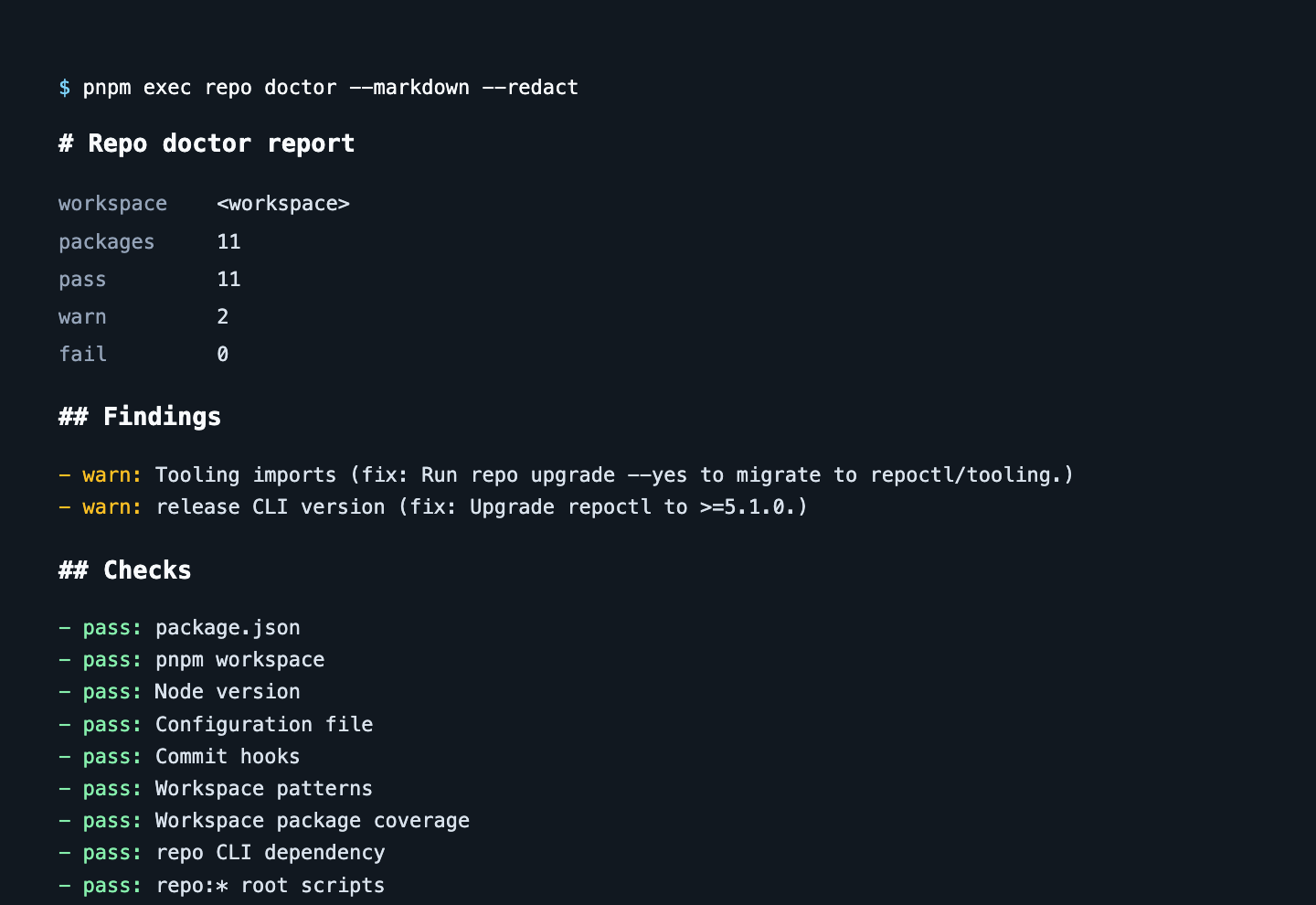
Preview work, redact local paths, and keep the exact command sequence with the report.
See how diagnosis workspnpm exec repo new docs --template vitepress --dry-run
pnpm exec repo check --dry-run
pnpm exec repo doctor --markdown --redactContinue with the decision in front of you
Move from the current task to the level of detail you need.
Daily tasks
Adoption, project creation, checks, CI, reports, releases, and troubleshooting.
Open tasksUnderstand the system
Monorepo boundaries, modern npm packages, templates, and the tools underneath.
Open LearnLook up exact behavior
Commands, configuration, output formats, aliases, and execution details.
Open ReferenceFrequently asked questions
What is repoctl?
repoctl is a task-first CLI for initializing, diagnosing, creating, checking, and releasing pnpm and Turborepo monorepos.
How do I install repoctl?
Run pnpm add -D repoctl, then use pnpm exec repo init and pnpm exec repo doctor.
How does repoctl relate to pnpm and Turborepo?
pnpm and Turborepo provide package management and task orchestration; repoctl turns repository conventions and checks into reusable tasks.
What is the difference between repo doctor and repo check?
repo doctor diagnoses repository health, while repo check plans and runs lint, type, build, and test checks.